
ping samsclass.info
Make sure you are getting replies. If you are not, you need to correct your networking problems before proceeding.
apt-get install php5 libapache2-mod-php5 -y
service apache2 restart

netstat -pant
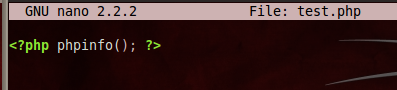
nano /var/www/html/test.php
<?php phpinfo(); ?>
Your screen should look like this:
Press Ctrl+X, then
press Y, then press the Enter key.
This saves your file.
From the menu bar in the top left of the Kali desktop, click Applications, Internet, IceWeasel Web Browser.
In the IceWeasel address bar, enter localhost/test.php
and then press the Enter key. You should see a PHP configuration page,
as shown below:
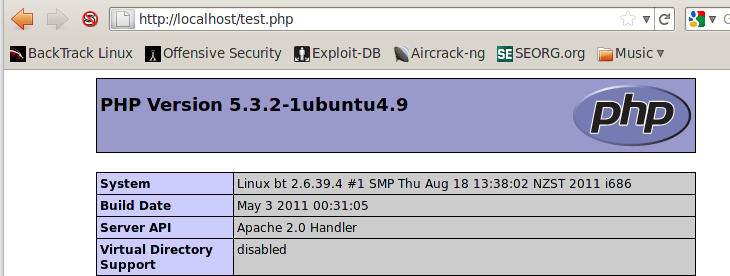
This verifies that Apache and PHP are running correctly.
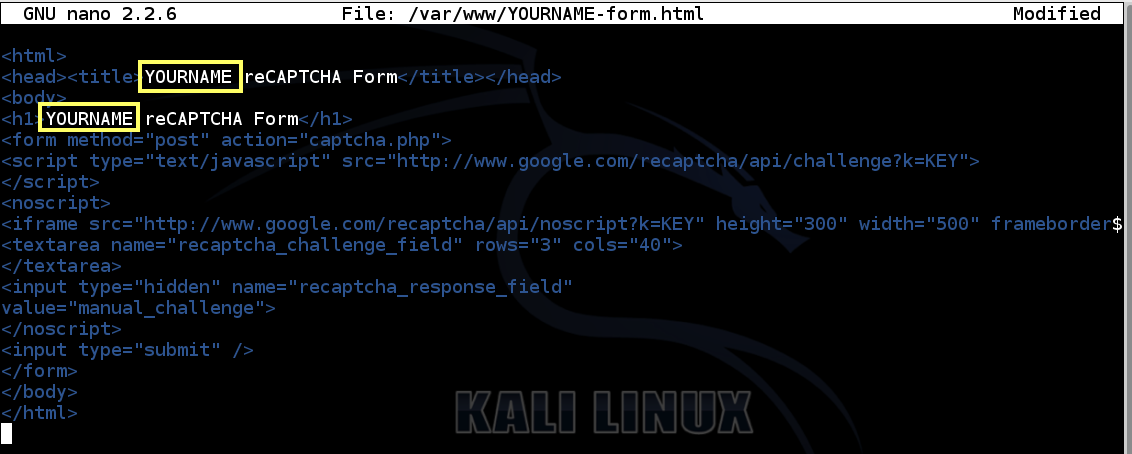
nano /var/www/html/YOURNAME-form.html
Replace the text "YOURNAME" with your own name, but don't use any spaces.
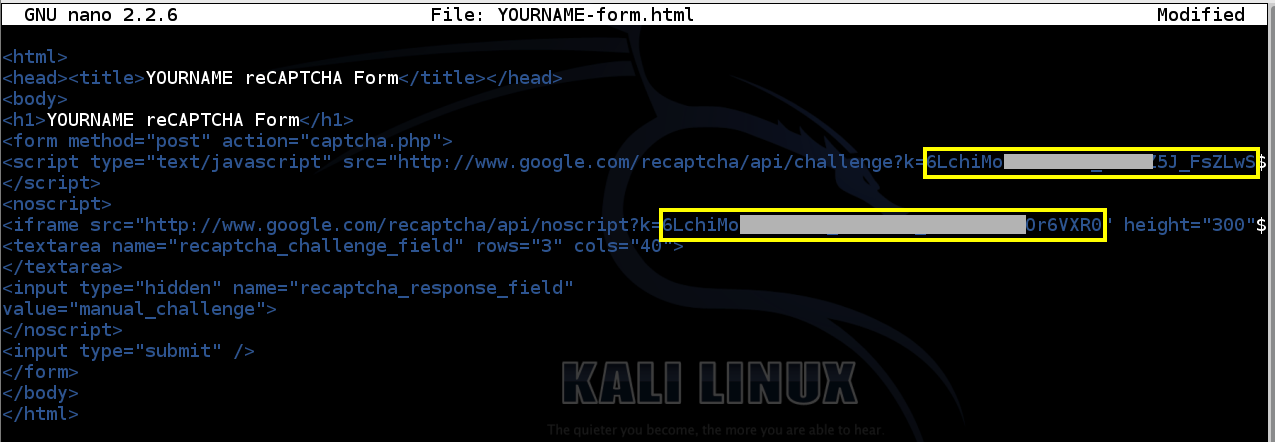
Enter this HTML code into the form, replacing YOURNAME with your name in two places, as highlighted in the image below:
<html>

<head><title>YOURNAME reCAPTCHA Form</title></head>

<body>

<h1>YOURNAME reCAPTCHA Form</h1>

<form method="post" action="captcha.php">

<script type="text/javascript" src="http://www.google.com/recaptcha/api/challenge?k=KEY">

</script>

<noscript>

<iframe src="http://www.google.com/recaptcha/api/noscript?k=KEY" height="300" width="500" frameborder="0"></iframe><br>

<textarea name="recaptcha_challenge_field" rows="3" cols="40">

</textarea>

<input type="hidden" name="recaptcha_response_field"

value="manual_challenge">

</noscript>

<input type="submit" />

</form>

</body>

</html>
Save the file with Ctrl+X, Y, Enter.
nano /var/www/html/captcha.php
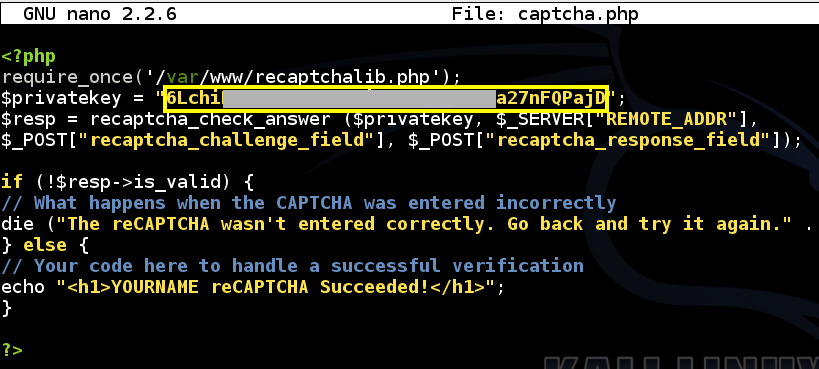
Enter this PHP code into the file, replacing YOURNAME with your own name, in the fourth line from the bottom:
<?php

require_once('/var/www/html/recaptchalib.php');

$privatekey = "KEY";

$resp = recaptcha_check_answer ($privatekey, $_SERVER["REMOTE_ADDR"],

$_POST["recaptcha_challenge_field"], $_POST["recaptcha_response_field"]);


if (!$resp->is_valid) {

// What happens when the CAPTCHA was entered incorrectly

die ("The reCAPTCHA wasn't entered correctly. Go back and try it again." . "(reCAPTCHA said: " . $resp->error . ")");

} else {

// Your code here to handle a successful verification

echo "<h1>YOURNAME reCAPTCHA Succeeded!</h1>";

}


?>
Save the file with Ctrl+X, Y, Enter.
On your Kali machine, in a Terminal window, execute these commands:
cd /var/www/html

curl http://recaptcha.googlecode.com/files/recaptcha-php-1.11.zip > recaptcha-php-1.11.zip

apt-get update

apt-get install unzip

unzip recaptcha-php-1.11.zip

mv recaptcha-php-1.11/recaptchalib.php .

chmod a+rx recaptchalib.php
On your Linux Web server, in a Terminal window, enter this command, and then press Enter:
chmod a+rx captcha.php
http://www.google.com/recaptcha/admin
A Google login page appears. Log in with a Gmail account.
Click the "Get reCAPTCHA!" button.
In the next page, enter these items:
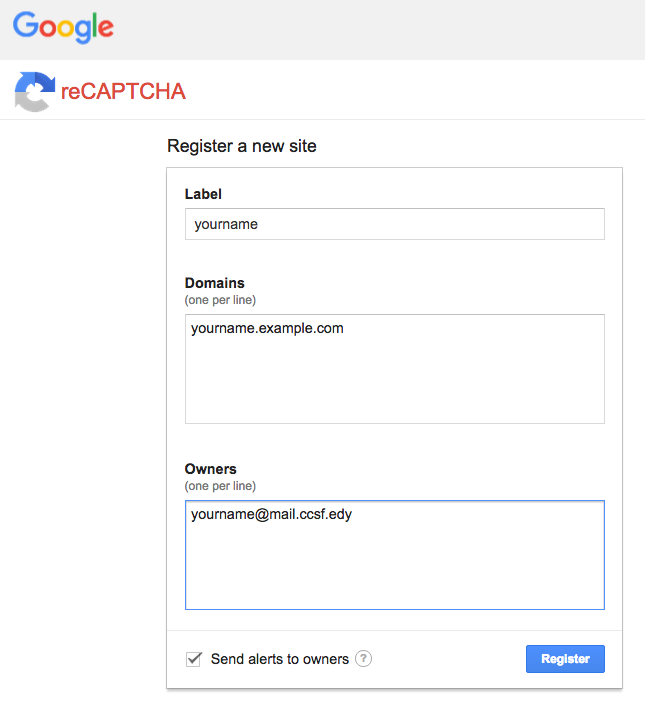
Click Register.
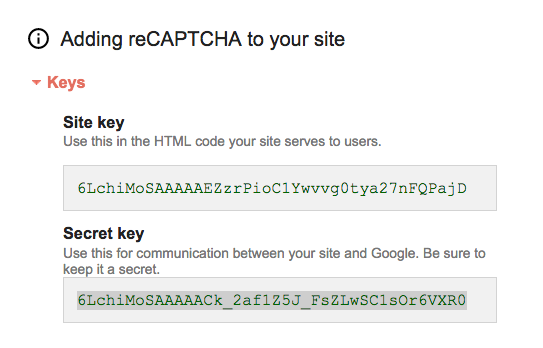
A page appears with keys and code snippets. The only thing we need is the two keys, as shown below.
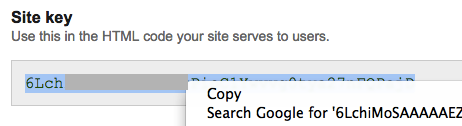
In Kali Linux, execute this command to edit the form:
nano /var/www/html/YOURNAME-form.html
Save the file with Ctrl+X, Y, Enter.
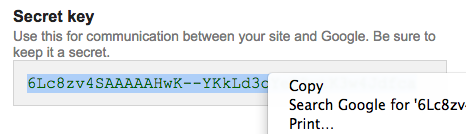
On your Kali machine, in a Terminal window, execute this command:
nano /var/www/html/captcha.php
Paste the secret key into the third line, as shown below.
Save the file with Ctrl+X, Y, Enter.
In Kali,
in IceWeasel, go to localhost/YOURNAME-form.html page.
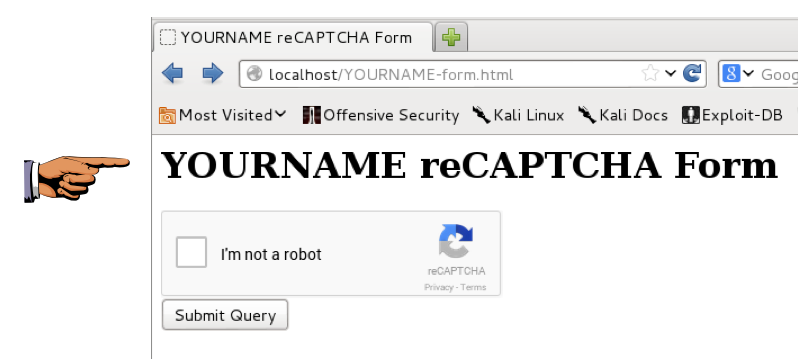
You should see a reCAPTCHA form,
as shown below. It may be just a check box,
or it may show bent letters.
Save a screen capture with a filename of "Proj 19a from YOUR NAME".
Fill in the CAPTCHA.
Then click the "Submit Query" button.
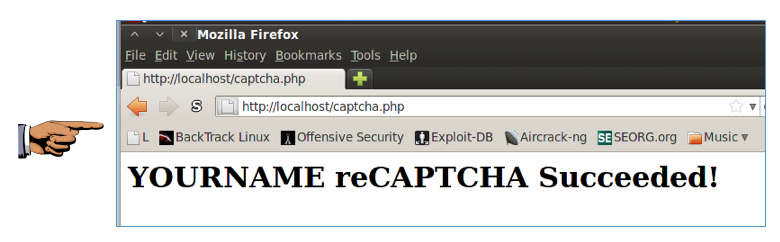
You should see the message "YOURNAME reCAPTCHA Succeeded!", as shown below.
Save a screen capture with a filename of "Proj 19b from YOUR NAME".
Email the images to cnit.120@gmail.com with a subject of "Project 19 from YOUR NAME".
Last modified: 10-1-15