Windows 7 Logo

CNIT 335: Windows Vista 7 Tech Support

Fall 2009 Sam Bowne

Scores posted 12-19

Open Lab Hours for Sci 214

Description · Schedule · Lectures · Projects · Links · Home Page
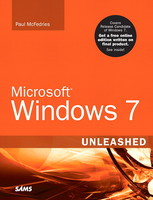
Windows 7 Unleashed

New Textbook!

Microsoft Windows 7 Unleashed (Paperback) by Paul McFedries
Publisher: Sams; 1 edition (July 24, 2009), ISBN-10: 0672330695
Buy from Amazon

CRN 78108 651 SAT 09:00-12:00PM SCIE 136 ROOM CHANGE

Provides students with the knowledge, skills, and hands-on experience to install, configure, and maintain Windows 7. Students will get their own free copy of Windows 7 and perform many hands-on exercises to strengthen their skills. This course helps prepare students for the "Microsoft Certified Technology Specialist: Windows 7, Configuration" certificate.

Upon successful completion of this course, the student will be able to:


 A. Explain Windows 7 editions
 B. Install Windows 7
 C. Explain upgrade paths to Windows 7
 D. Install Windows 7 in a multi-boot configuration, and on a virtual machine
 E. Install and Use Windows XP Mode on Windows 7
 F. Configure Windows Aero Graphics
 G. Describe known problems associated with installations and upgrades of 7
 H. Apply updates and service packs
 I. Troubleshoot system startup and user login problems
 J. Interpret error messages and suggest appropriate solutions to problems
 K. Configure and troubleshoot hardware devices
 L. Set up and troubleshoot a small network including HomeGroups
 M. Perform routine maintenance
 N. Optimize and monitor system performance
 O. Troubleshoot Windows errors and recover from a computer crash, using the Windows Recovery Environment and other tools
 P. Explain and edit the structure of the registry
 Q. Manage disks and drives
 R. Control access to files and folders with NTFS permissions, including the changes to NTFS permissions in Windows 7
 S. Configure Internet Explorer 8
Back to Top


Schedule

DateQuiz & ProjectsTopics
Sat 8-22  Windows 7 Versions and Installation (not in textbook)
Chapter 1. Customizing Windows Explorer
Chapter 2. Customizing Internet Explorer
Sat 8-29  Chapter 3. Customizing the File System
Chapter 4. Customizing Startup and Shutdown
Chapter 5. Customizing the Start Menu and Taskbar
Fri 9-4 Last Day to Add Classes
Sat 9-5 Holiday - No Class
Sat 9-12Quiz: Versions and Installation and Ch 1-5
Proj 1-2 due
Chapter 6. Tuning Windows 7's Performance
Chapter 7. Maintaining Your Windows 7 System
Fri 9-18 Last Day to Request pass/no pass Grading
Sat 9-19Quiz: Ch 6-7
Proj 3-5 due
Chapter 8. Controlling Windows 7 with Control Panel
Chapter 9. Policing Windows 7 with Group Policies
Chapter 10. Configuring the Microsoft Management Console
Sat 9-26Quiz: Ch 8-10
Proj 6-7 due 
Chapter 11. Controlling Services
Chapter 12. Tweaking the Windows 7 Registry
Sat 10-3Quiz: Ch 11-12
No Proj due 
Chapter 13. Controlling Windows 7 from the Command Line
Sat 10-10Quiz: Ch 13
Proj 8-11 due 
Chapter 14. Securing Windows 7
Chapter 15. Configuring Internet Explorer Security
Chapter 16. Implementing Email Security
Fri 10-16 Mid-Term Grades Due
Sat 10-17Quiz: Ch 14-16
Proj 12-13 due 
Chapter 17. Securing the File System
Chapter 18. Setting Up User Security
Sat 10-24Quiz: Ch 17-18
Proj 14-15 due 
Chapter 19. Implementing Network Security
Chapter 20. Tightening Wireless Network Security
Chapter 21. Troubleshooting and Recovering from Problems
Sat 10-31No Quiz
Proj 16-17 due 
Kenny Spade from Microsoft: Guest Speaker
Sat 11-7Quiz: Ch 19-21
Proj 18-19 due
Chapter 22. Troubleshooting Devices
Chapter 23. Troubleshooting Startup
Chapter 24. Troubleshooting Networking
Wardriving at Noon
Sat 11-14 Holiday - No Class
Fri 11-20 Last Day to Withdraw
Sat 11-21Quiz: Ch 22-4
Proj 20-21 due
Chapter 25. Setting Up a Small Network
Sat 11-28 Holiday - No Class
Sat 12-5Quiz: Ch 25
Proj 22 due 
Chapter 26. Accessing and Using Your Network
Chapter 27. Making Remote Network Connections
Sat 12-12Quiz: Ch 26-27
All Extra Credit Proj due 
Last Class: Chapter 28. Turning Windows 7 into a Web Server
Chapter 29. Adding Macs to Your Windows 7 Network
Sat 12-19  Final Exam: 9 am

Back to Top

Lectures

Policy


Part I: Unleashing Windows 7 Customization

   Windows 7 Versions and Installation (not in textbook)    Word Document    Powerpoint
   Chapter 1. Customizing Windows Explorer
   Chapter 2. Customizing Internet Explorer

   Chapter 3. Customizing the File System    Word Document    Powerpoint
   Chapter 4. Customizing Startup and Shutdown
   Chapter 5. Customizing the Start Menu and Taskbar

Part II: Unleashing Windows 7 Performance and Maintenance

   Chapter 6. Tuning Windows 7's Performance    Word Document    Powerpoint    Speedbar script for demo
   Chapter 7. Maintaining Your Windows 7 System

Part III: Unleashing Windows 7 Power User Tools

   Chapter 8. Controlling Windows 7 with Control Panel    Word Document Ch 8-10    Powerpoint Ch 8-10
   Chapter 9. Policing Windows 7 with Group Policies
   Chapter 10. Configuring the Microsoft Management Console
   Chapter 11. Controlling Services    Word Document Ch 11-12    Powerpoint Ch 11-12
   Chapter 12. Tweaking the Windows 7 Registry
   Chapter 13. Controlling Windows 7 from the Command Line    Word Document    Powerpoint

Part IV: Unleashing Windows 7 Security

   Chapter 14. Securing Windows 7    Word Document Ch 14-16    Powerpoint Ch 14-16
   Chapter 15. Configuring Internet Explorer Security
   Chapter 16. Implementing Email Security
   Chapter 17. Securing the File System    Word Document Ch 17-18    Powerpoint Ch 17-18
   Chapter 18. Setting Up User Security
   Chapter 19. Implementing Network Security    Word Document Ch 19-21    Powerpoint Ch 19-21
   Chapter 20. Tightening Wireless Network Security

Part V: Unleashing Windows 7 Troubleshooting

   Chapter 21. Troubleshooting and Recovering from Problems
   Chapter 22. Troubleshooting Devices    Word Document Ch 22-24    Powerpoint Ch 22-24
   Chapter 23. Troubleshooting Startup

Part VI: Unleashing Windows 7 Networking

   Chapter 24. Troubleshooting Networking
   Chapter 25. Setting Up a Small Network    Word Document Ch 25    Powerpoint Ch 25
   Chapter 26. Accessing and Using Your Network    Word Document Ch 26-27    Powerpoint Ch 26-27
   Chapter 27. Making Remote Network Connections
   Chapter 28. Turning Windows 7 into a Web Server    Word Document Ch 28    Powerpoint Ch 28


The lectures are in Word and PowerPoint formats.
If you do not have Word or PowerPoint you will need to install the
Free Word Viewer 2007 and/or the Free PowerPoint Viewer 2007.


Back to Top

Projects

How to Get your Windows 7 Activation Code from MSDNAA
Correcting the BIOS Boot Order in S214

Proj 1: Installing Windows 7 (10 Pts.)
Proj 2: Open Office (5 Pts.)
Proj 3: Easy Transfer (10 Pts.)
Proj 4: Customizing File Types with Regedit (15 Pts.)
Proj 5: Monitoring RAM Use with Task Manager (10 Pts.)       WasteMemory Python Script
Proj 6: Monitoring RAM Use with Resource Monitor (10 Pts.)
Proj 7: Researching an Error Event (20 Pts.)
Proj 8: HomeGroup (15 Pts.)
Proj 9: Limiting Control Panel with Group Policy (15 Pts.)
Proj 10: Creating a Custom MMC Console (10 Pts.)
Proj 11: Disabling SMBv2 (15 Pts.)
Proj 12: Command Line (15 Pts.)
Proj 13: Firewall Exceptions (15 Pts.)
Proj 14: Windows Live Mail (10 Pts.)
Proj 15: Family Safety (10 Pts.)
Proj 16: NTFS Permissions (15 Pts.)
Proj 17: EFS Encryption (15 Pts.)
Proj 18: Problem Reporting and BadApp (10 Pts.)            Download BadApp.exe
Proj 19: Remote Assistance (10 Pts.)
Proj 20: Driver Verifier (10 Pts.)
Proj 21: BitLocker To Go (10 Pts.)
Proj 22: Sharing an Internet Connection with an Ad Hoc Wireless Network (15 Pts.)


Extra Credit Projects

Proj 1x: Using the Ultimate Boot CD to Create Admin. Accts. (10 Pts.)
Proj 2x: Adjusting Group Policies (15 Pts.)
Proj 3x: Making a Secure Wireless Network (10 Pts.)
Proj 4x: Microsoft Security Essentials (10 pts.)
Proj 5x: Installing Windows 7 Ultimate (15 pts.)
Proj 6x: IPv6 Address Conflict (10 pts.)
Proj 7x: Remote Desktop (10 pts.)
Proj 8x: CompletePC Backup (15 pts.)


Back to Top

Links:

Windows 7

Microsoft Certification

Voucher Purchase Welcome Page--Prometric\'s New Order Page
Microsoft Certification for This Class: TS: Windows 7, Configuring, Exam 70-680

Chapter Links

Ch 2a: Windows 7 Upgrade Advisor
Ch 2b: Windows 7 system requirements - Microsoft Windows
Ch 2c: Permanently disable driver signature enforcement on Win 7 x64
Ch 2d: Windows 7 Upgrade Paths

Ch 3a: Remote Desktop Connection: frequently asked questions
Ch 3b: Teredo Overview
Ch 3c: Windows Remote Assistance: frequently asked questions
Ch 3d: Initiate Remote Assistance from a Command Line or a Script
Ch 3e: Remote Assistance and Resulting Internet Communication in Windows Vista
Ch 3f: RSS-powered Windows 7 desktop slideshows

Ch 5a: Microsoft® Hardware-Assisted Virtualization Detection Tool
Ch 5b: How to manually remove programs from the Add or Remove Programs tool
Ch 5c: What\'s new in Internet Explorer 9?
Ch 5d: How to Install XP Mode on Windows 7 without Virtualization

Ch 6a: Most Secure Browser: Internet Explorer 8
Ch 6b: Demonstration site to show IE\'s SmartScreen
Ch 6c: SpywareInfo > Cookies - What they are and how they are used
Ch 6d: Internet Explorer 10 Platform Preview 2 shows strong progress
Ch 6e: Internet Explorer 10 Test Drive

Ch 9a: Indexer Status Gadget
Ch 9b: Windows Live Gallery--Get Indexer Status Gadget Here

Ch 10a: Live Mesh : Welcome To Live Mesh
Ch 10b: BitLocker Drive Encryption Deployment Guide for Windows 7
Ch 10c: BitLocker Drive Encryption Step-by-Step Guide for Windows 7
Ch 10d: Utility Spotlight: Robocopy GUI
Ch 10e: Windows Live Mesh -- no longer a Beta, and Live Sync is gone

Ch 11a: How restore points and other recovery features in Windows Vista are affected when you dual-boot with Windows XP

Ch 12a: Windows 7 Starter Won\'t Play DVDs
Ch 12b: Windows 7 features - Windows Media Player 12
Ch 12c: NPR Program Stream--example WAX file

Ch 14a: Charlie Owen - Windows Media Center in the PDC Build of Windows 7
Ch 14b: Windows 8 Will Include Windows Media Center

Ch 16a: Well-known security identifiers in Windows operating systems
Ch 16b: Parental Controls and Family Safety in Windows 7

Ch 17a: Windows 7 Enterprise Features, including DirectAccess
Ch 17b: The Tenderloin Hacker
Ch 17c: How to connect any WPS-enabled wireless device to a wireless modem, router or access point
Ch 17d: Wi-Fi Protected Setup - Wikipedia

Ch 18a: How to change the listening port for Remote Desktop

Ch 19a: Network Map in Windows Vista does not display computers that are running Windows XP
Ch 19b: Hotfix required to add LLTD to Win 7 XP SP3 Computers
Ch 19c: Google Public DNS
Ch 19d: 4.2.2.2: The Story Behind a DNS Legend

Ch 20a: Autoruns for Windows
Ch 20b: Prefetch and SuperFetch Explained

Ch 21a: Microsoft Update Catalog (requires IE)
Ch 21b: Windows Server Update Services Home
Ch 21c: WindizUpdate - Wikipedia
Ch 21d: WindizUpdate

Ch 23a: Windows feature lets you generate a memory dump file by using the keyboard

Ch 24a: Windows Logo Program for Hardware FAQ
Ch 24b: Code Signing Certificates for Microsoft Authenticode

Ch 25a: Guide Windows 7 Clean Install Walk-through
Ch 25b: Making a bootable USB Windows 7 Install Disk
Ch 25c: Data Recovery Software to Undelete Files; Disk recovery; Recover Deleted Files
Ch 25d: GUID Partition Table - Wikipedia
Ch 25e: The woes of a GUID Partition Table

Ch 26a: Tablet PC image
Ch 26b: Windows 7 Pen and Touch
Ch 26c: Windows 7 Touch and Multitouch Gesturing, Pen Controls and Writing Recognition - Windows 7 guide - Gizmodo
Ch 26d: Engineering Windows 7 : Ink Input and Tablet PC

Other Links

How the Windows 7 Kernel differs from the kernel in Vista
Top Tips for More Windows 7 Productivity
Measuring memory usage in Windows 7
Confessions of a Windows 7 pirate
How to stop Windows Update from restarting your PC (scroll to bottom)
Keyboard Shortcuts for Windows
Use any version of Windows 7 free for 120 days
Deploy 1: Download details: Windows® AIK for Windows® 7
Windows Maintenance Tips: The Good, Bad, and Useless
Quickly find space-hogging files with PowerShell
Windows 7 setup is unable to create / locate a partition (solved)
How to reach maximum 802.11n speed and throughput
What is the WINSXS directory in Windows 2008 and Windows Vista and why is it so large?
Windows Live Sync to be named Windows Live Mesh
Getting Started with BitLocker
On the effectiveness of DEP and ASLR - TechNet Blogs
Deployment: Sysprep a Windows 7 Machine -- Start to Finish V2
How to turn off Internet Explorer in Windpws 7
Implementing a Windows 7 SteadyState by utilizing differencing VHDs files
IE9 and Tracking Protection: Microsoft disrupts the online ad business | ZDNet
ISC Diary | How to find unwanted files on workstations <--Good example of scripting for workstation administration
MSDN Blog on Win 8\'s new antimalware protections--improved ASLR? -- VERY INTERESTING
Protecting the pre-OS environment with UEFI - Building Windows 8 - MSDN Blogs
2011-09-28: You can run Windows 8 from a USB flash drive - using WAIK
Creating Windows 8 To Go on a 16 GB USB-Stick

New Unsorted Links

2012-01-06: 70-680 Resources -- Deployment lessons here

How to generate a kernel or a complete memory dump file in Windows Server 2008 and Windows Server 2008 R2

Good hotfix blog

Book for Cert Review: MCTS Self-Paced Training Kit (Exam 70-680): Configuring Windows 7

Windows Client Certification


Fun


Background from Animation Factory

Last Updated: 12-19-09 11 pm